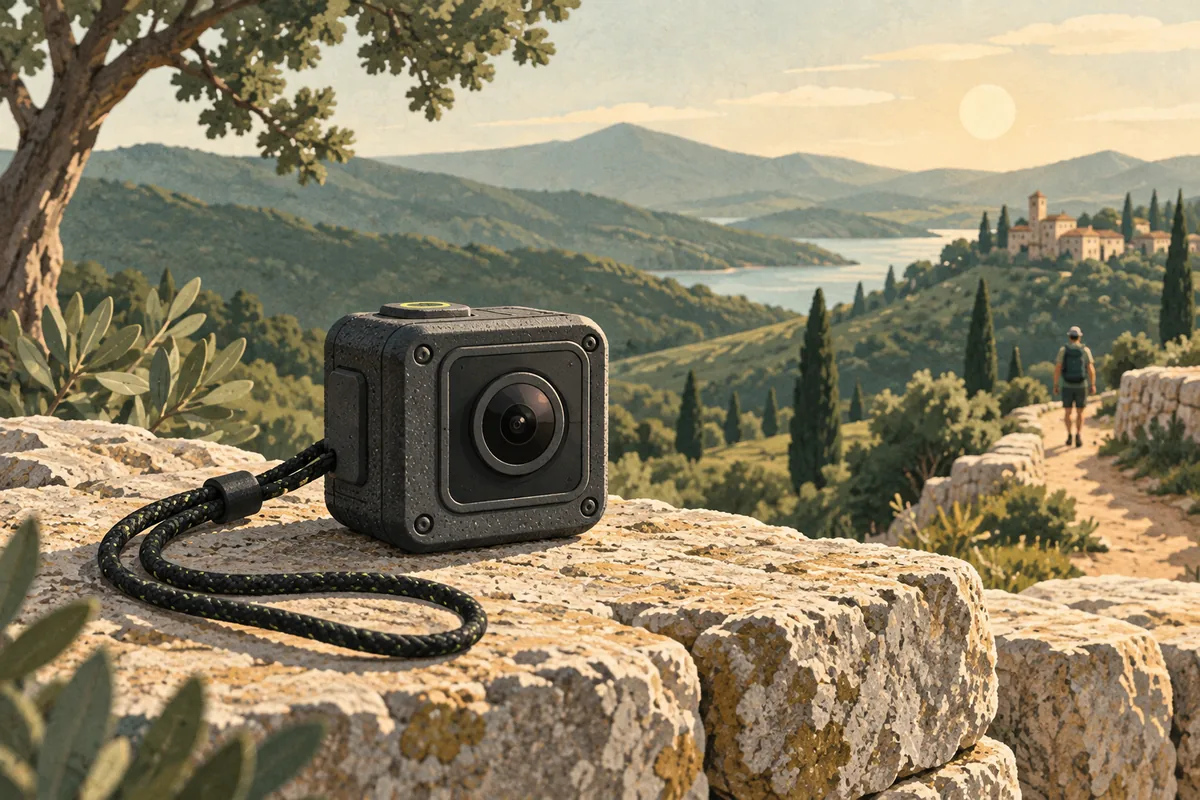
The best budget action cameras keep the cost of a trip from creeping up. A small camera can go where a phone feels awkward: on a bike, near the water, or at the end of a short grip. But a cheap action camera is only a good deal if you can use the footage.
My first checks are image stabilization, ease of use, and the full kit cost. I care less about the largest number on the box. A 4K label does not tell you if a clip shakes. It says little about poor light or how long a charge lasts.
These four picks suit a range of needs. For the DJI Osmo Action 4, I would look for a new unit at $250 or less, with a warranty. That is the most I would pay. It is not a live price quote. If it costs much more, check newer models too.
The best budget action cameras for four uses
| Action camera | Best fit and main catch |
|---|---|
| DJI Osmo Action 4 | Active trips; good value depends on the sale price |
| AKASO Brave 8 Lite | A kit with extras; SuperSmooth uses the app |
| AKASO EK7000 Pro | Occasional daylight clips; water use needs its housing |
| GoPro HERO (2024) | A very small camera; smoothing adds an app step |
1. DJI Osmo Action 4: my pick at the right price
The DJI Osmo Action 4 has the best mix of useful features here. Both screens respond to touch. You can swap the battery. It shoots 4K video at up to 120 frames per second. Its 1/1.3-inch sensor is larger than those in many cheap action cams.
I would choose it for walks, bike rides, and trips. The sale price must leave room for a card and mount. The dual screens help you frame a shot of yourself. They also help when you hold the camera low on a grip.
The catch is age. DJI lists guaranteed software updates through December 31, 2026. That is worth weighing against a newer camera if prices are close. It does not mean the camera stops working on that date.
My call: a strong budget action camera when discounted. Check the exact DJI shooting and stabilization limits. The highest video resolution and frame rate do not work with every horizon mode.
2. AKASO Brave 8 Lite: useful extras, with an app tradeoff
The AKASO Brave 8 Lite is an affordable action camera with front and rear screens. The current product page lists 4K video at 60 frames per second and water resistance to 10 meters with the covers sealed. Its kit lists two batteries, a charger, and several mounts.
The main catch is SuperSmooth. This form of image stabilization runs in the app. You must bring the footage through that app to use it. Each mode will not give you the same smooth clip straight from the camera.
AKASO has changed some parts across versions. The specs may differ. I would check which version the seller has, then read its manual. That matters for still-photo size and battery-life claims.
My call: a useful kit for a tight budget if the app step suits you. The AKASO Brave 8 Lite is less appealing when its price gets close to a discounted DJI Osmo Action 4.
3. AKASO EK7000 Pro: keep the job simple
The AKASO EK7000 Pro makes the most sense for occasional clips in good light. Its support guide lists 4K at 30 frames per second, a rear touchscreen, and electronic image stabilization. It needs a waterproof housing for water use.
I would consider this cheap action camera for a low-cost first step, not for a trip where every shot must work. The housing adds bulk and changes how you reach the controls. It can also make sound harder to capture clearly.
One EK7000 Pro owner compares it with older GoPros. They say it did more than they hoped for at the price. Yet they found the picture and app less good than those of costly models. That is one owner's view. Your needs may differ.
My call: a budget action camera for modest needs. Keep expectations tied to the price, and use the return period to check the exact modes you need.
4. GoPro HERO (2024): small, light, and deliberately simple
The GoPro HERO (2024) weighs 86 grams and records 4K video. It has a small rear touchscreen and a simple set of controls. GoPro rates it for water use to 5 meters.
The catch comes when you finish a clip. HyperSmooth stabilization runs in the GoPro Quik app. You may want to copy files to a computer and edit there. If so, keep this extra app step in mind.
The battery is built in. You cannot swap it for a charged spare between clips. That is a real limit for a long day, even when the compact size is a benefit.
My call: a compact action camera for short, simple clips when a good discount is available. Buy the GoPro HERO for its size and ease of use. Do not assume it has the controls or battery system of a larger GoPro.
Price the whole action camera kit
A camera body is only part of the cost. Add a suitable memory card, the mount you will actually use, and a way to keep the camera safe in transit. A spare battery may also matter if the action camera supports one.
Do not count every piece in an accessory bundle as equal value. Ten mounts are not useful if none fits your bike or grip well. A secure, well-made mount is worth more than a bag of parts that stay at home.
For a budget action camera, I would write down the final price before comparing models. Include shipping and any needed adapters. A low sticker price can lose its appeal once those costs arrive.
Also check the seller and warranty. A slightly cheaper action camera from an unknown seller may be harder to return. Used cameras can save money, but seals, battery health, and lens damage need closer attention.
Image stabilization matters more than a 4K sticker
Electronic image stabilization crops the view and uses motion data to cut shake. How well it works matters when you walk or ride. It can matter more than video resolution. A sharp clip is still hard to watch if it shakes.
Check which shooting modes let you use image stabilization. A high frame rate may limit your choice. Some action cameras change the crop. Others need an app to smooth the footage.
The AKASO Brave 8 Lite and GoPro HERO both make the app part of the smoothing decision. Before buying an affordable action camera, check whether the phone you own runs the required app. Think about how long you want to spend moving and exporting clips.
The DJI Osmo Action 4 can help keep the horizon level. That feature has limits on frame rate and video resolution. Read the mode chart first. Then choose the mode that suits the shot. The highest setting is not always best.
A firm mount helps too. Image stabilization cannot fully rescue a mount that rattles or slowly tips toward the ground.
Video resolution and slow motion: choose what you will use
4K video gives room for detail and some cropping. It also takes more storage and asks more of the camera. For a quick clip watched on a phone, a clean lower-resolution file can be enough.
Frame rate is a separate choice. A clip recorded at 60 frames per second can slow to half speed on a 30-frame timeline. A 120-frame clip can slow farther. Those settings are useful for a jump or a short burst of action, but they do not need to be on all day.
Slow motion needs enough light. At a high frame rate, each frame has less time to gather light. A budget action camera that looks fine outside may struggle in a dark room.
I would save slow motion footage for moments that benefit from it. For a walk through a market or a short travel clip, normal-speed video often tells the story more clearly.
Low light is where affordable action cameras get harder to judge
An affordable action camera packs a lot into a tiny body. The lens and sensor have little space. They may catch less light than those in a large camera. In low light, you may see grain in dark parts of the shot. Detail gets soft. Fast motion can blur.
Sensor size is part of the reason. The lens matters too. So do the settings and the way the camera builds each frame. Two cameras may share the same video resolution yet give you quite different night footage.
The DJI Osmo Action 4 has a useful edge in sensor size. That helps put it ahead of the cheapest action cams for mixed light. But a larger sensor does not promise a clean night shot on its own.
If most of your clips are indoors or after dark, compare the action camera with the phone you already own. The phone may be the better tool when you do not need a mount or water protection.
Battery life: read the small print
Battery life claims often use a mode that draws less power. You may choose a mode that needs more. Bright screens, wireless links, and image stabilization all use power. Heat and cold can cut the time you get too.
DJI gives the Osmo Action 4 a 160-minute figure. That test uses 1080p, with screens and Wi-Fi off. It does not promise that much time at 4K and 120 frames per second. For each battery-life claim, find out how the brand ran the test.
For a long outing, a removable battery is useful. Shut the camera down before swapping, and keep the battery door dry and clean. Do not open it at the edge of the water just to get a few more minutes.
The GoPro HERO's fixed battery makes planning more important. Record short clips, turn the camera off between them, and allow time to charge. If you need continuous recording for hours, this compact camera is the wrong shape of solution.
Heat can stop an affordable action camera before its charge runs out. It may get hot when it sits in direct sun. A cool breeze on a moving bike can help. Short clips save space, power, and time at the edit.
Water protection is a system of seals and habits
A depth rating depends on a properly closed camera. Check the battery door, USB cover, lens cover, and housing seal before water use. A grain of sand in the wrong place can matter.
The DJI Osmo Action 4 is rated to 18 meters without its extra case, with conditions set out by DJI. The AKASO Brave 8 Lite is rated to 10 meters. The GoPro HERO is rated to 5 meters. The EK7000 Pro needs its housing. These figures are not interchangeable.
Read the maker's guide for long trips below water or hard hits from waves. Even a waterproof action camera needs good seals. Check them each time.
Rinse and dry the camera as its manual directs after saltwater use. Let the outside dry before opening any door. If you see moisture inside, stop using the camera and follow the maker's support advice.
Mounts can make or break the footage
For walking, a short grip is often enough. For a bike, check the handlebar diameter and the mount's supported load. Test it over a safe, short route before a full ride.
Handlebar mounts can pass road vibration into the camera. Try a different position if the footage shakes, rather than assuming the action camera needs to be replaced. Keep the controls reachable when you are stopped.
Helmet mounts need extra care. Use a mount the helmet maker permits, and do not drill or change the helmet's protective structure. A camera should not compromise the item meant to protect your head.
I would use a suitable backup tether where the camera or mount maker recommends one. Keep it clear of wheels, controls, and anything that could snag. Secure mounting matters more than an unusual angle.
Dual screens, voice control, and other useful extras
Dual screens help with framing. A front-facing screen lets you check whether your face is in the shot. A rear screen helps when the camera points away from you. Neither has to be large to be useful.
Voice control can help when your hands are busy, but wind and background noise can get in the way. Learn the physical record button too. A clear recording light is often the most useful feature on a small action camera.
A flip screen is not a standard feature on these picks. Do not buy an action camera expecting the screen to move just because a larger vlogging camera does.
Still photos are a bonus. More pixels do not always mean a better photo. Specs can also change across versions of a camera. Choose the action camera for the video job first.
External mics and sound on a small camera
Wind can spoil speech even when the picture looks good. A waterproof housing may make speech duller. If clear voice is central to your clips, check the camera's external mic support before buying.
Do not assume that every USB-C port accepts every microphone. Some cameras need a specific adapter or supported mic. External mics also add cables and can change water protection.
For a seated chat or show, I would buy a good mic first. Our podcast equipment guide shows where to start. An action camera is built to go places. A close mic is built to hear a voice.
Can a cheap action camera make cinematic video?
Good light and a steady shot matter more than the word cinematic on a box. Keep a clear subject in each shot. With an affordable action camera, try three clips: one wide view, one close detail, and one view of the action. Hold each shot long enough to use in an edit.
ND filters cut the light that reaches the lens. They let you use a slower shutter speed in bright light. But they can make image stabilization work less well. I would skip ND filters in a first kit unless the shot calls for one. On a moving bike, aim for a clean, steady clip first.
Cinematic video also needs a shape and pace that fit the story. A long, shaky clip does not improve when you add a filter. Short clips with a clear start and end are easier to share.
Which action cams are easiest to live with?
The best action cameras for a beginner make each step simple. Press record. Find the file. Move it to your phone. Check how long each of those steps takes. Can you find the clip you want? Does your phone have enough free space?
Do not choose an affordable action camera for a feature you will never use. A time lapse can be useful for a long view from a fixed spot. A wide range of shooting modes adds little if you only record a short walk.
Before chasing the best deal, compare three things: the price with the required kit, the return terms, and the time needed to finish a clip. The best prices are not always the lowest numbers. An extra step every time you use the action camera has a cost too.
Check video quality before you keep the camera
Use the same short route when you compare video quality. Include a bright sky, a shady patch, and a moving subject. Dynamic range is the gap between bright and dark detail a camera can keep in one shot. Watch whether the sky turns blank or the shaded parts lose all detail.
Check low light performance in the light you will use. A sunny sample does not tell you how a camera will handle a late walk home. Pause a few frames, but also watch the clip at normal speed. Image quality in one still frame is only part of the result.
A microSD card must meet the camera's speed and size limits. Use the maker's card list where one is given. A slow card can cause a failed recording even when the camera itself works well. Format the card as the manual says, after saving any files you want to keep.
Test the companion apps too. Can your phone copy a full clip over Wi-Fi? Does the app need free space to save a second file? Post production means the work after you shoot, from trimming a clip to fixing its color. Include that time when you judge value.
For mountain biking, try the mount on a short, safe route first. Compare a smooth stretch with a rough one. A helmet cam and a handlebar view can show quite different amounts of shake. Choose the angle that tells the story while keeping the mount safe.
Two batteries help only when both are charged and easy to swap. Keep spare cells dry and use the charger the maker supports. I would check battery life with my chosen video mode before trusting a full day's plans to it.
A short test before the next trip
- Charge the battery and use a memory card the camera supports.
- Record a short walk in daylight, then a clip in the light you expect on the trip.
- Try the exact video resolution and stabilization mode you plan to use.
- Move the files to your phone or computer and play them all the way through.
- Check sound, heat, battery use, and whether the mount stays firm.
For AKASO models, match the manual to the camera version. The Brave 8 Lite manual page notes that versions differ in some settings. That is a better guide than assuming an old review describes the unit in your hand.
Keep spare cards and batteries in a small gear pouch. Travel documents belong elsewhere; our travel wallet picks cover ways to keep passports and cards easy to reach.
I would start with a discounted DJI Osmo Action 4, then choose the AKASO Brave 8 Lite if the kit price is clearly lower and the app step works for me. The EK7000 Pro suits a smaller, simpler job. The GoPro HERO suits a buyer who puts size first. The best budget action cameras are the ones whose limits fit the trip you actually plan to take.